Streaming data from PostgreSQL to BigQuery with Datastream
GitHub Repo: https://github.com/data-max-hq/terraform-datastream-postgres-bq
In this blog post, we are going to use Datastream to create a stream from a Cloud SQL PostgreSQL database to BigQuery.
What is Datastream?
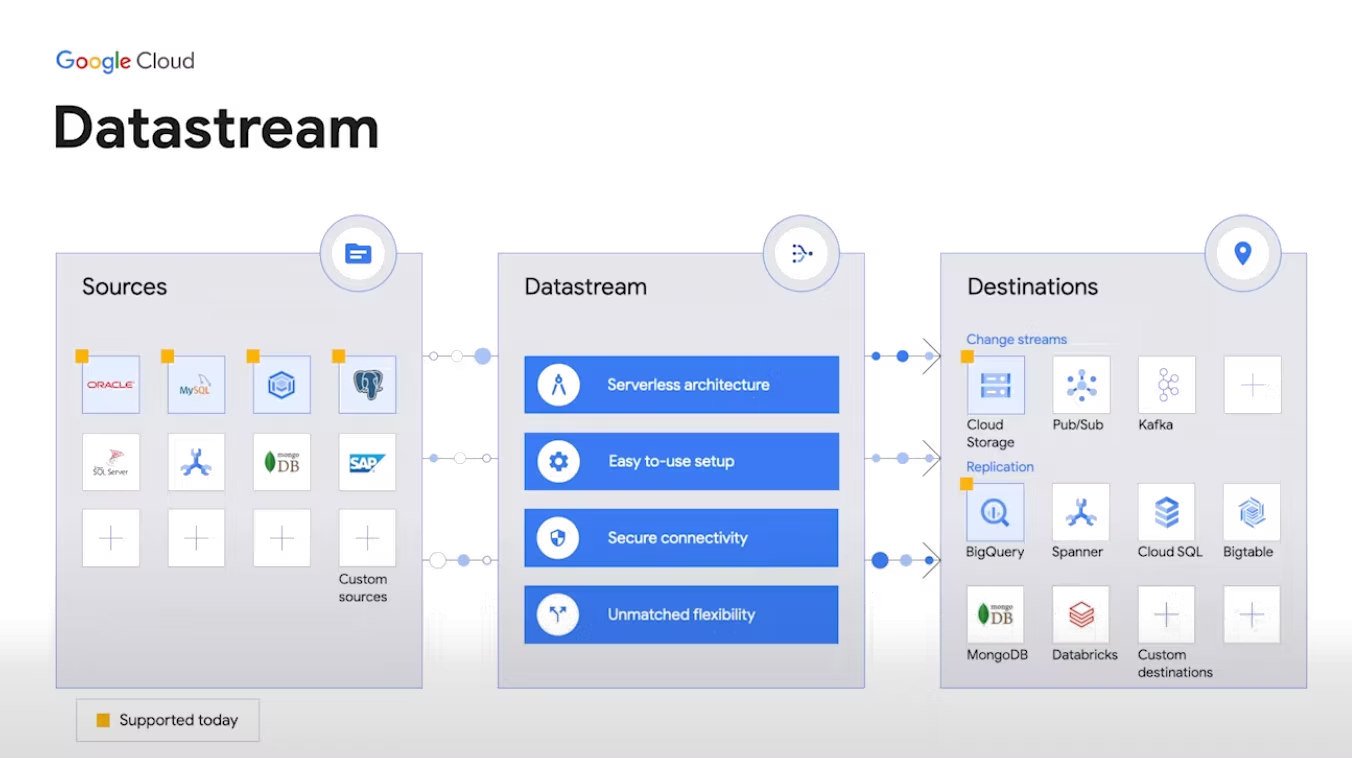
- Serverless and easy-to-use change data capture and replication service.
- Access to streaming, low-latency data from MySQL, PostgreSQL, AlloyDB, and Oracle databases.
- Near real-time analytics in BigQuery with Datastream for BigQuery.
- Easy-to-use setup with built-in secure connectivity for faster time to value.
- Serverless platform that automatically scales, with no resources to provision or manage.
- Secure foundation for database synchronization and event-driven architectures.
Getting started
We are going to use Terraform to create a Cloud SQL Postgres instance with a private network, then connect this database to Datastream using VPC peering to create a stream to BigQuery. As of the time of this writing (October 22), Datastream is not yet supported by Terraform, thus some of the steps have to be done manually through the Google Cloud Console.
1. Create a Cloud SQL Postgres instance
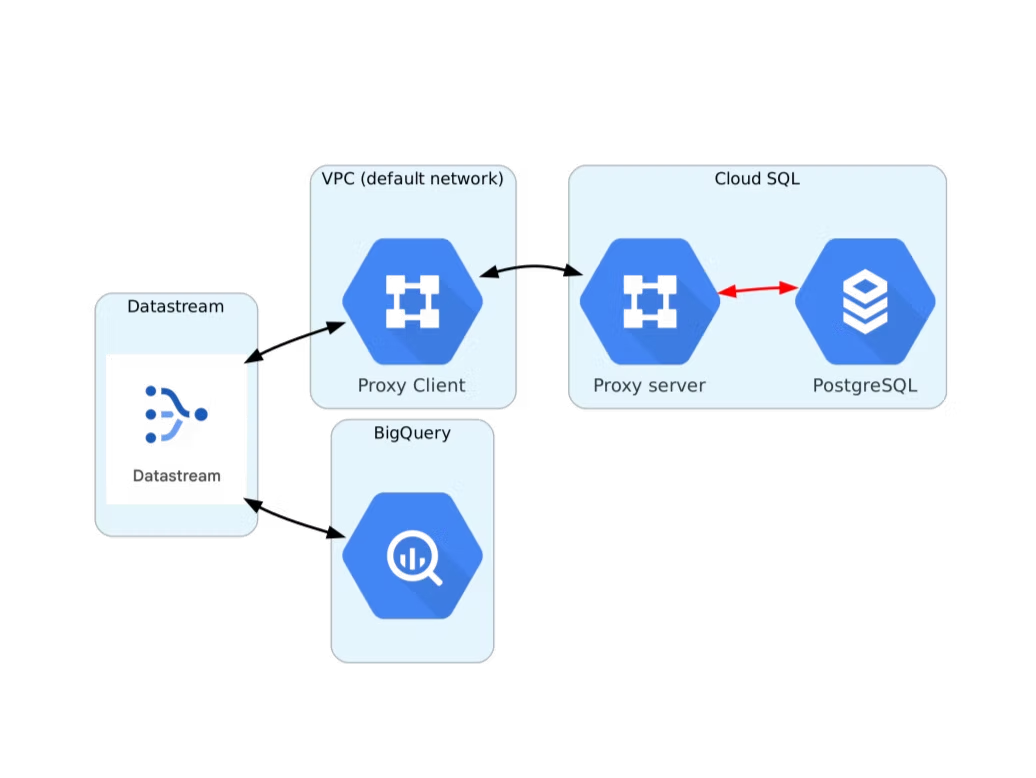
The following code uses Terraform to create a private Postgres instance. We use the google_sql_database_instance resource from Terraform to create the private IP instance as shown in the official Terraform documentation. The instance is configured with cloudsql.logical_decoding = on so that Datastream can consume change data.
2. Create a Datastream private connection
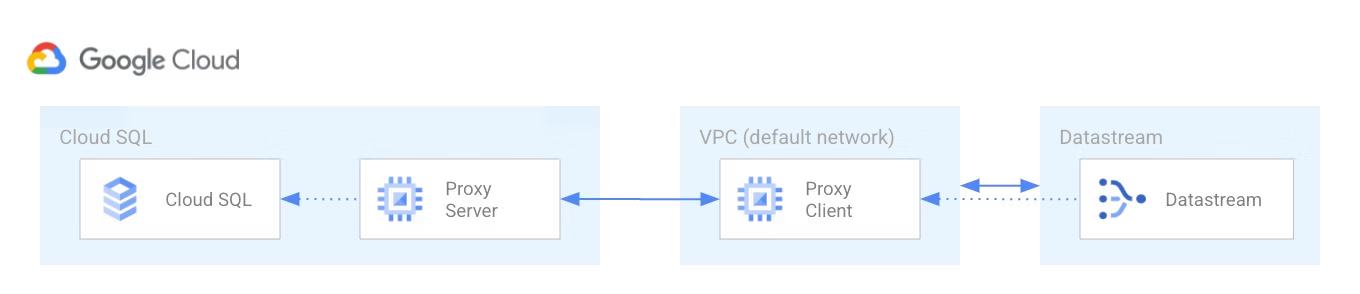
The following Terraform code creates a private connectivity configuration for Datastream using the google_datastream_private_connection resource, which creates a private connection between Datastream and your VPC. Each network has its own firewall controlling access; we use google_compute_firewall to allow connection to our Postgres database.
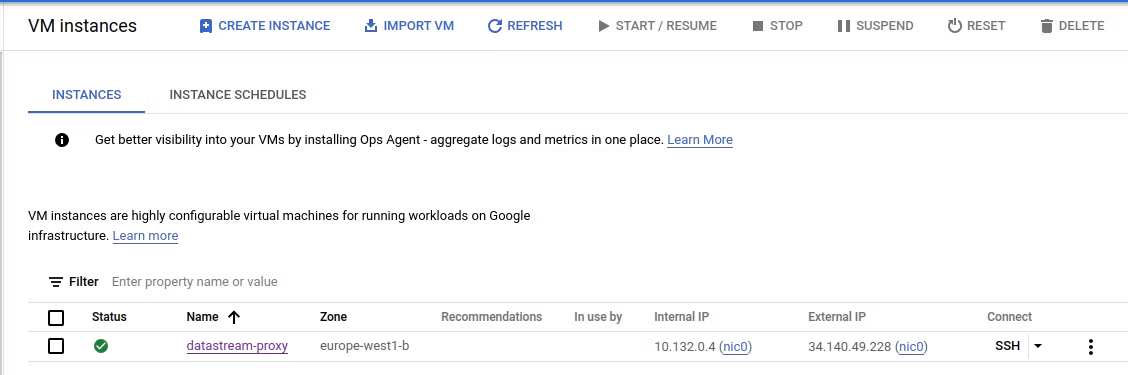
3. Create a Cloud SQL Auth proxy
When you configure a Cloud SQL instance to use private IP addresses, you use a VPC peering connection between your VPC and the VPC where Cloud SQL resides. Because Datastream's network can't peer directly with Cloud SQL's private services network, and because VPC peering isn't transitive, a Cloud SQL Auth proxy is required to bridge the connection from Datastream to your Cloud SQL instance. The Terraform code uses google_compute_instance to create a VM that runs the Cloud SQL Auth proxy.
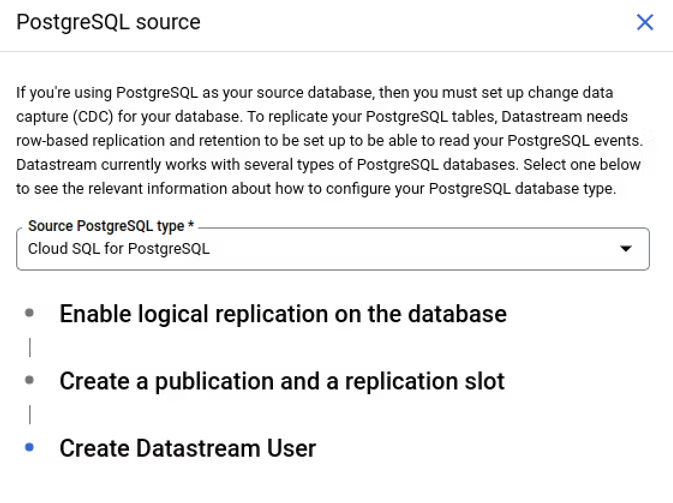
4. Complete database prerequisites for the stream
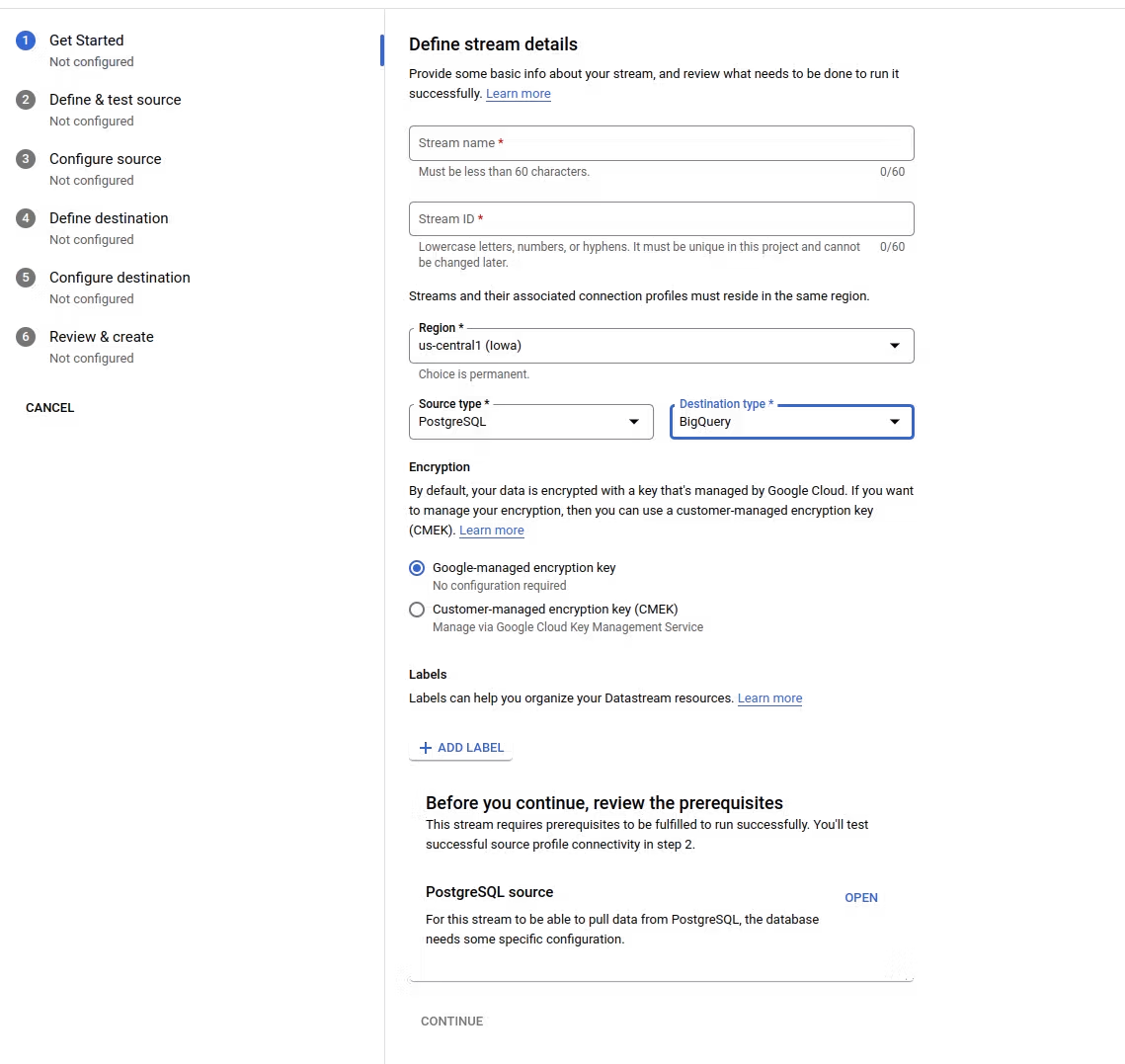
Datastream requires that the source meets certain prerequisites for a stream to run successfully. For each source you will be given steps to complete before starting the stream in the Datastream UI. For our Postgres instance, we have already completed the first step in Terraform by setting cloudsql.logical_decoding to on. The other steps (e.g. creating a Datastream user, enabling replication) have to be done manually.
5. Create a stream
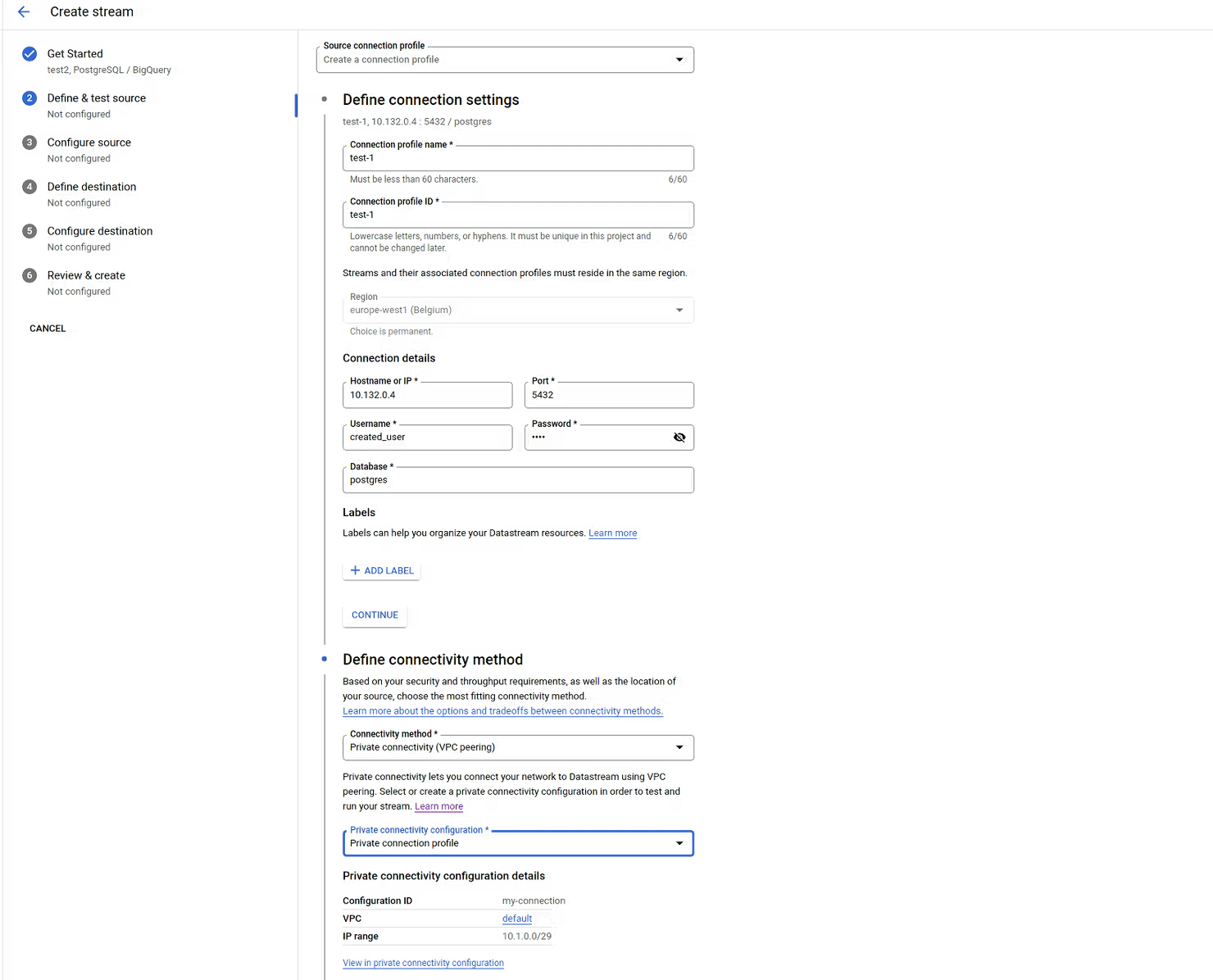
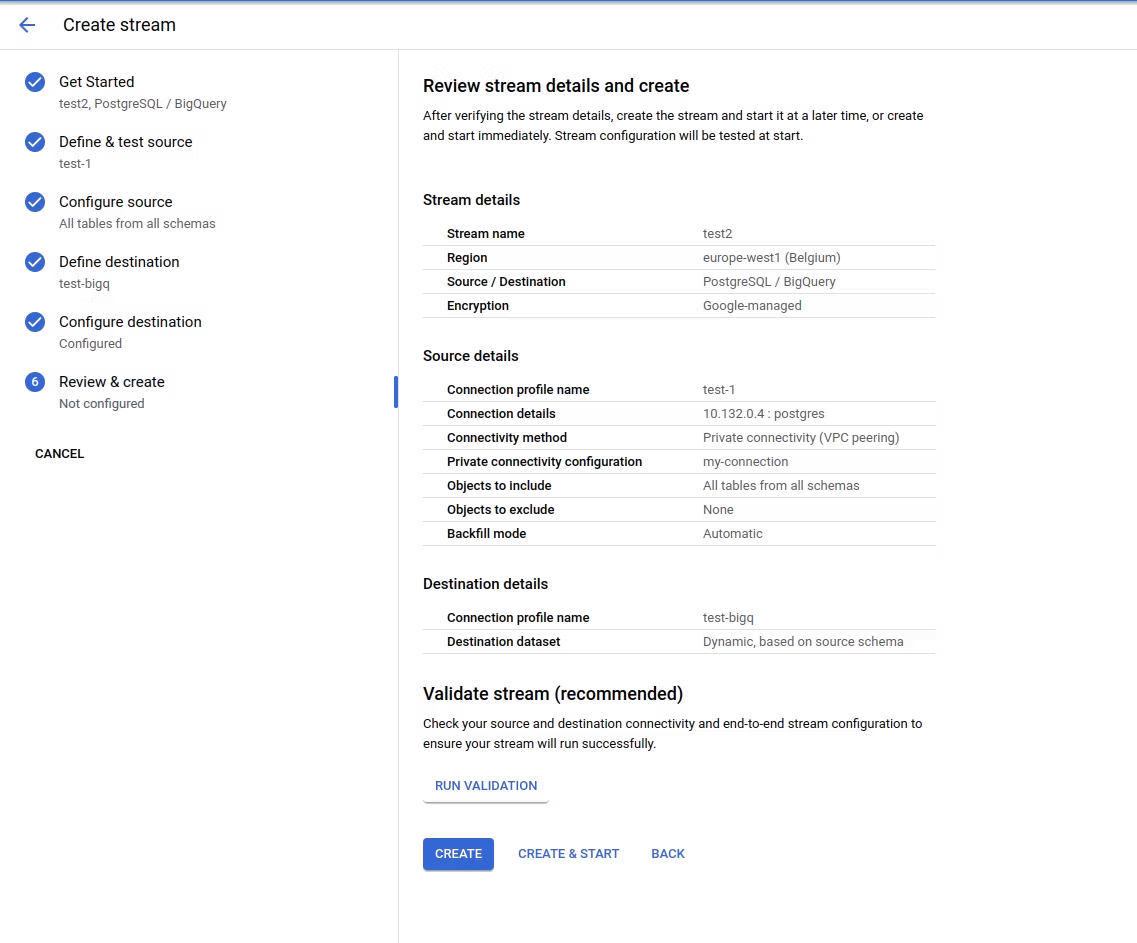
The last step is to create the stream through the Datastream UI. In the connection step, under Hostname IP use the internal IP of the Auth proxy VM you created, and the username and password of the Datastream user. Under Define connectivity method select VPC peering and the private connection created in Terraform. Then create the stream with the default configuration and select CREATE & START to start the stream between Cloud SQL and BigQuery.
Summary
In this blog post we demonstrated a step-by-step guide on how to create an incremental load of data from a Cloud SQL Postgres database to BigQuery using Datastream. Changes in your database instance are replicated in near real-time to BigQuery. This addresses a long-standing challenge for incremental loads from Postgres in Cloud SQL. Happy coding!
For any questions, feel free to reach out to us at hello@datamax.ai.
DataMax Team
DataMax Team