Serving Dog Breed Classification model with Seldon-Core, TensorFlow Serving and Streamlit
In a modern Machine Learning workflow, after figuring out the best performing model, the next step is to bring it to the users. In this post, we cover how to bring a transfer learning model into production using TensorFlow, Kubeflow, Seldon-Core, TensorFlow Serving, and Streamlit.
This post is a step-by-step guide on how to train and deploy a machine learning model — first with Docker Compose, then with Kubernetes.
Problems tackled
- Training models at scale
- Serving the models
- Creating a web UI for our models
Tools overview
Helm is a package manager for Kubernetes that deploys packaged applications using charts — Kubernetes YAML manifests combined into a single package.
TensorFlow is a free and open-source library for machine learning, with a particular focus on training and inference of deep neural networks.
Seldon-Core serves models built in any open-source or commercial framework. It supports custom resource definitions, CI/CD integration, and provides out-of-the-box model and performance monitoring.
TensorFlow Serving is a flexible, high-performance serving system designed for production, making it easy to deploy new algorithms while keeping the same server architecture and APIs.
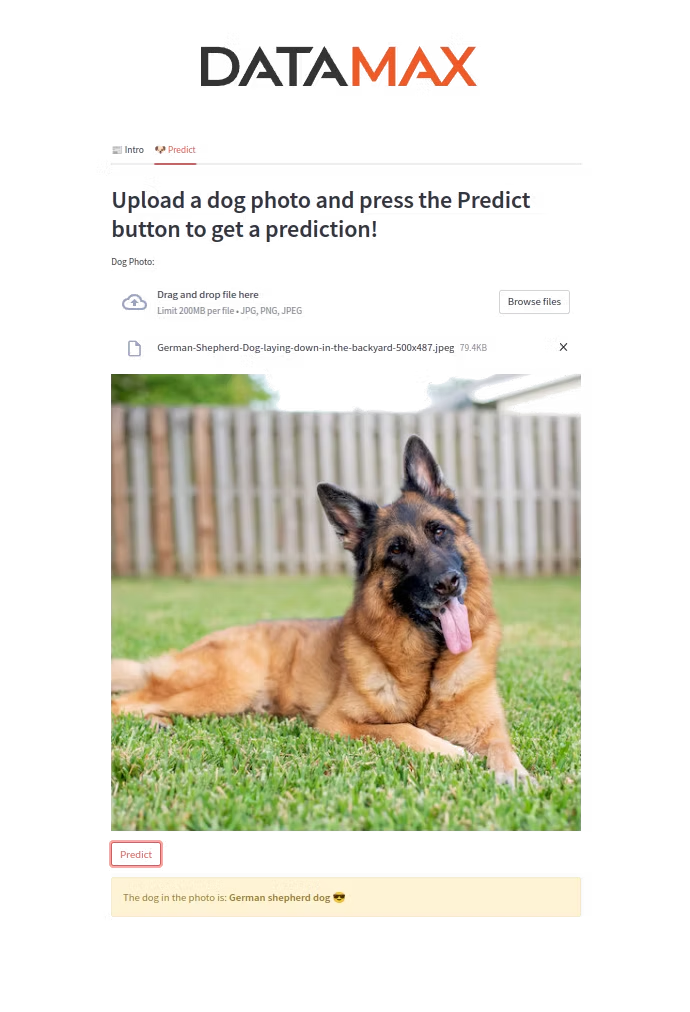
Streamlit is an open-source app framework for Python that makes it easy to create web UIs for data science and ML apps.
Kubeflow is a platform for data scientists who want to build and experiment with ML pipelines and deploy ML systems across environments.
Create a CNN (ResNet-50) to Classify Dog Breeds
To reduce training time without sacrificing accuracy, we use Transfer Learning with ResNet50 — pre-trained on a large dataset, then fine-tuned by replacing the final dense layers with a 133-node classifier for the dog breeds. After training, we save both the model and labels.
Developing with Docker Compose
Docker Compose lets us define and share multi-container applications with a single YAML file. We need two Dockerfiles — one for Seldon-Core and one for the Streamlit application.
Dockerfile for Seldon-Core
Uses a Python parent image. We copy and install dependencies from requirements.txt, copy the application file, expose the required port, and use CMD to keep the Seldon service running.
Dockerfile for Streamlit
Also uses Python as a parent image. We expose port 8502 (the default 8501 is used by TensorFlow Serving), install from requirements-streamlit.txt, and run the app on port 8502.
docker-compose-seldon.yaml deploys Seldon-Core and Streamlit using the Dockerfiles above. docker-compose-tfserve.yaml deploys the official tensorflow/serving image from Docker Hub alongside Streamlit.
Project flow with Docker Compose
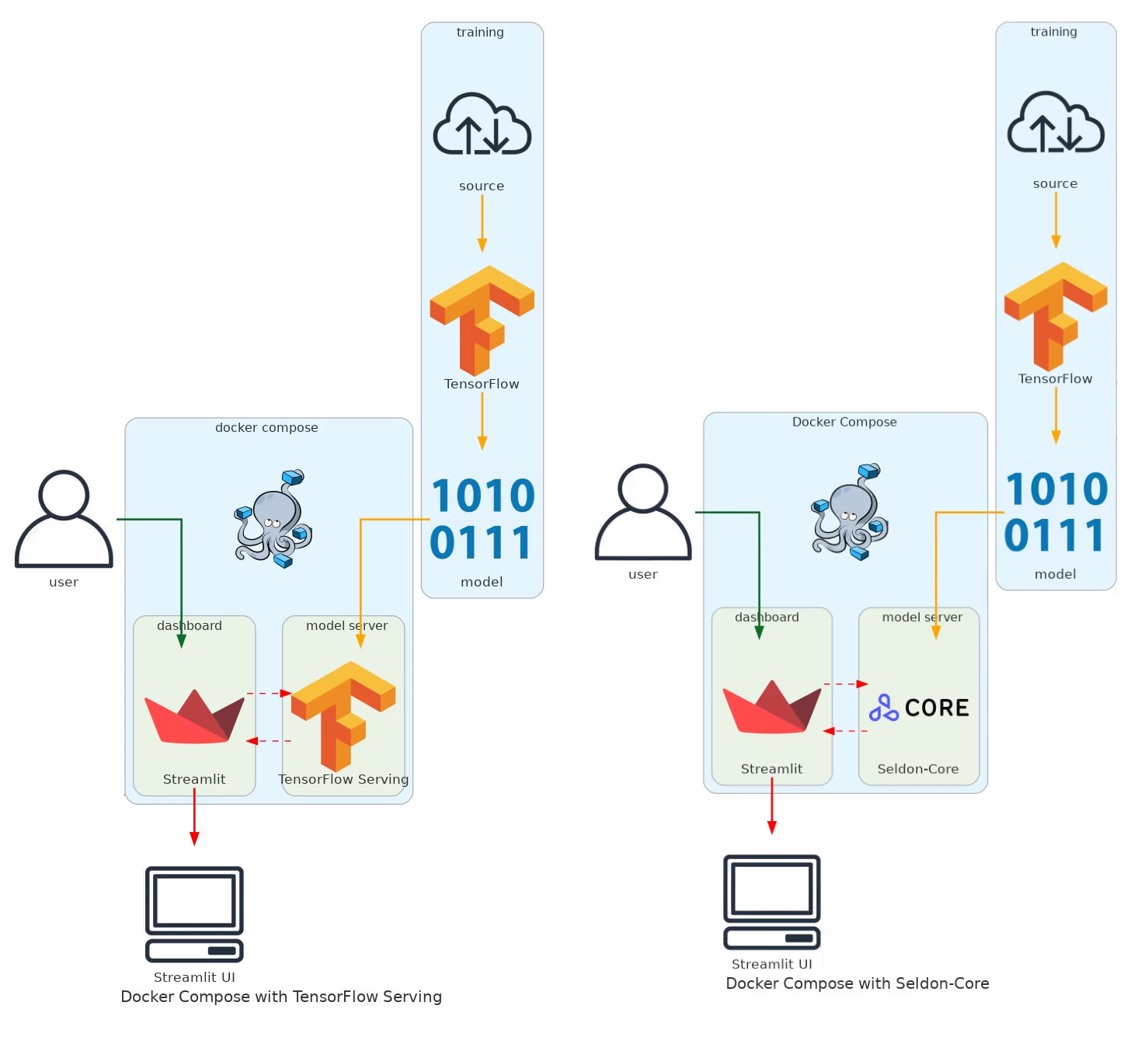
- The model is trained and saved locally.
- Docker Compose starts and runs the entire app in an isolated environment.
- Streamlit sends the request to TensorFlow Serving.
- TensorFlow Serving predicts the dog breed and sends the response back to Streamlit.
Developing in Kubernetes
Kubernetes (K8s) is a container orchestration framework that can run in public cloud, private cloud, or on-premises. We use Minikube to create a local cluster, then build and load the Docker images into the Minikube registry.
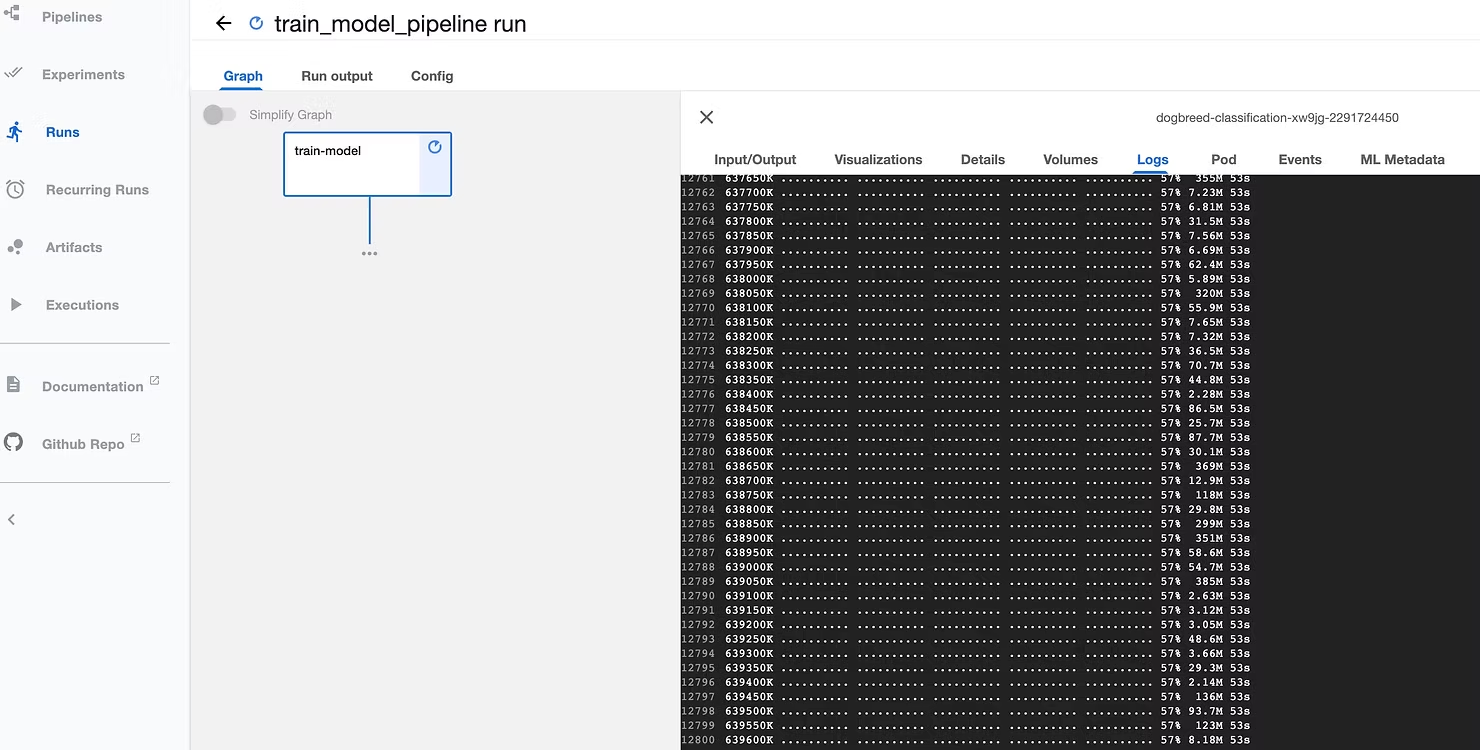
Unlike Docker Compose, in Kubernetes we use Kubeflow as a pipeline orchestrator to train the model and save it inside the Minikube cluster, making it accessible to all deployments.
We use Helm charts to create all K8s resources — defining replicas, images, environment variables, and volumes that specify the location of the model and create a copy inside the pod.
helmfile-seldon.yaml— deploys Seldon-Core, Emissary-ingress, and Streamlit.helmfile-tfserve.yaml— deploys TensorFlow Serving and Streamlit.
Helm chart structure for Streamlit
values.yaml— specifies the image, volumes, and environment variables.Chart.yaml— description of the charts.templates/— manifest files for the deployment and service.
For both TensorFlow Serving and Seldon-Core, we use Emissary-ingress (formerly Ambassador) as an open-source ingress controller and API gateway. Note: Seldon-Core only supports Ambassador v1, while TensorFlow Serving can use the latest version.
Project flow in Kubernetes
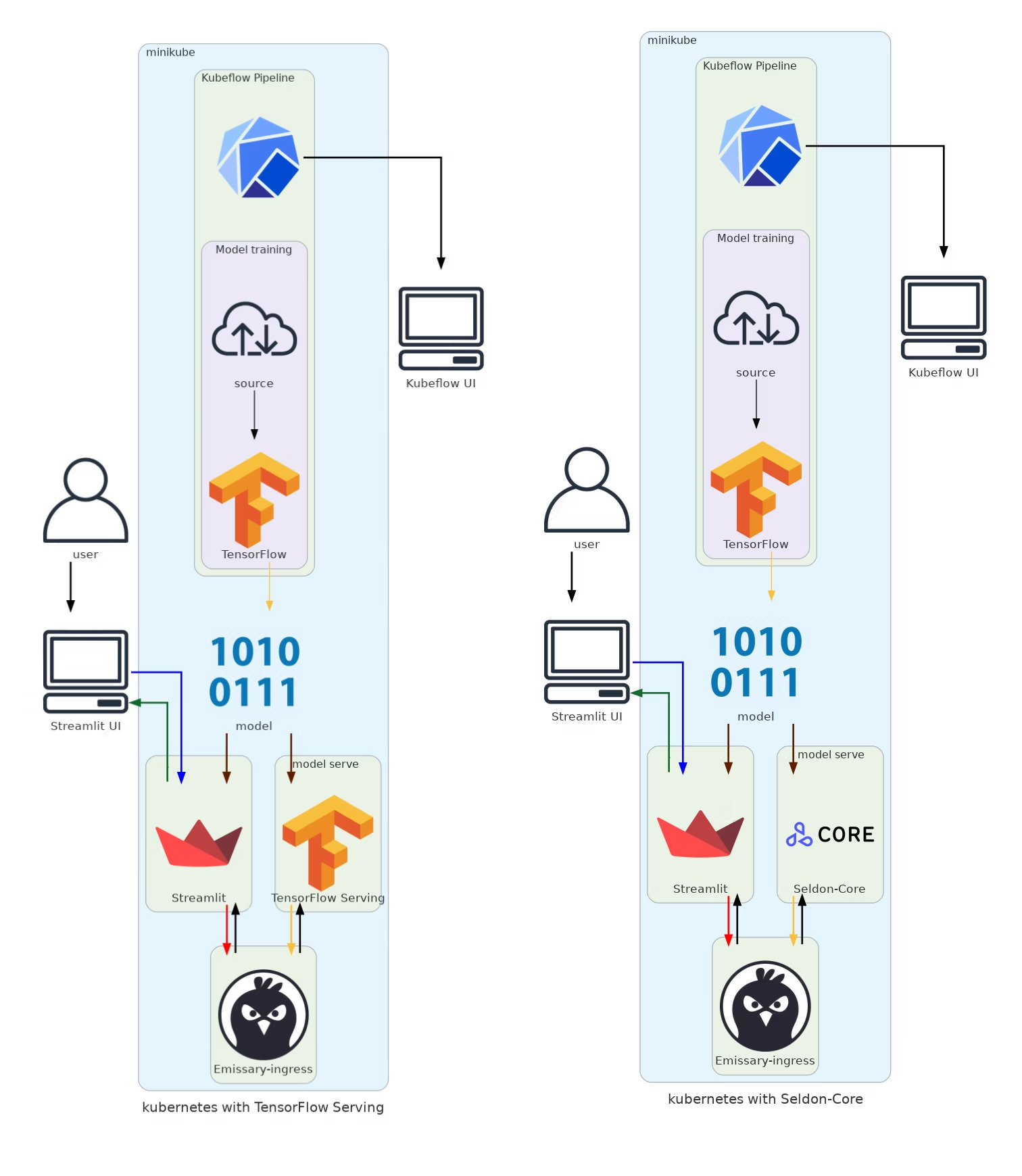
- The model is trained using Kubeflow and saved in Minikube.
- Helm charts create all K8s resources for the entire application.
- Streamlit sends requests through Emissary-ingress to the model server.
- The model server (Seldon-Core or TF Serving) returns predictions to Streamlit.
For any questions, feel free to reach out to us at hello@datamax.ai.
DataMax Team
DataMax Team