Dockerizing dbt Transformations for Managed Airflow: Docker, dbt, and GCP Cloud Composer
Airflow is one of the most popular pipeline orchestration tools out there. It has been around for more than 8 years, and it is used extensively in the data engineering world.
Popular cloud providers offer Airflow as a managed service — GCP offers Cloud Composer and AWS offers Amazon Managed Workflows for Apache Airflow (MWAA). It is a very fast way to start an ETL (Extract, Transform and Load) pipeline and use it in a production environment.
Meanwhile, dbt (Data Build Tool) is exclusively focused on the Transformation step (the T in ETL). Its popularity has grown significantly and is now de-facto the default tool for building powerful and flexible SQL transformations.
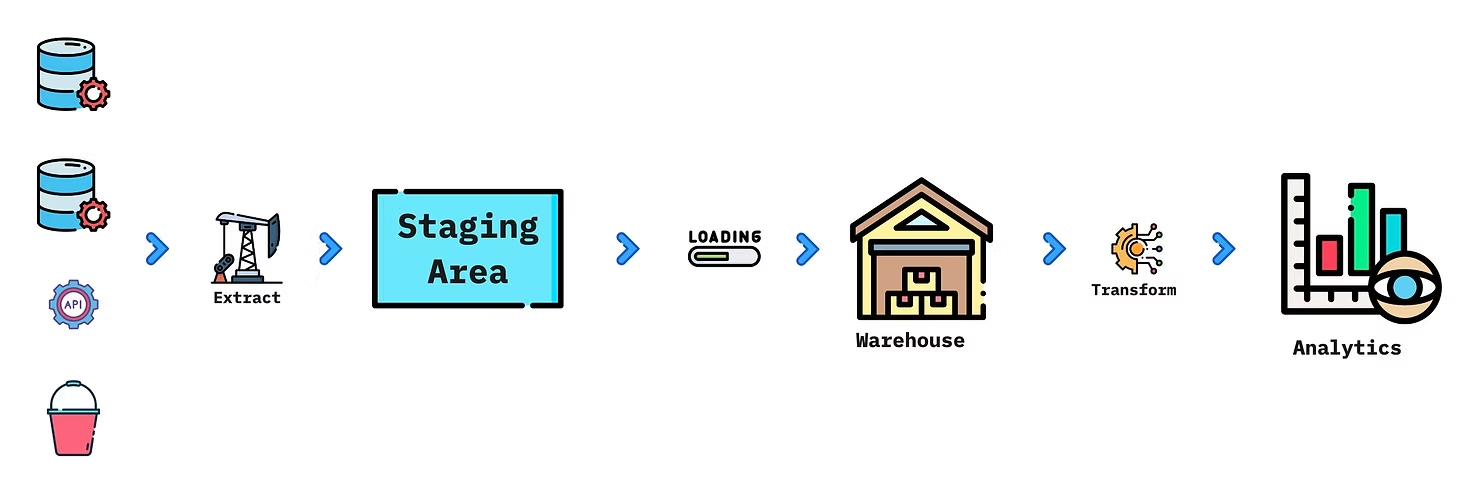
Often ETL is implemented as ELT (Extract, Load, and Transform). The data is extracted from various sources (databases, APIs, files), stored in a staging area, then loaded into a data warehouse (Redshift, BigQuery, Snowflake). The last step is Transformations, where the data is aggregated and adapted to the requirements of the Analytics teams.
The goal of this post is to show how dbt transformations can be integrated into a managed Airflow instance. The main challenge we have faced is resolving dependency conflicts — Airflow dependencies, dbt dependencies, and the default packages pre-installed in Cloud Composer do not always work well together.
Another limitation of managed Airflow instances is the versions of Python (and Airflow) that are available. They are managed by the cloud provider and limited in what they support. Similar issues are present in AWS MWAA as well.
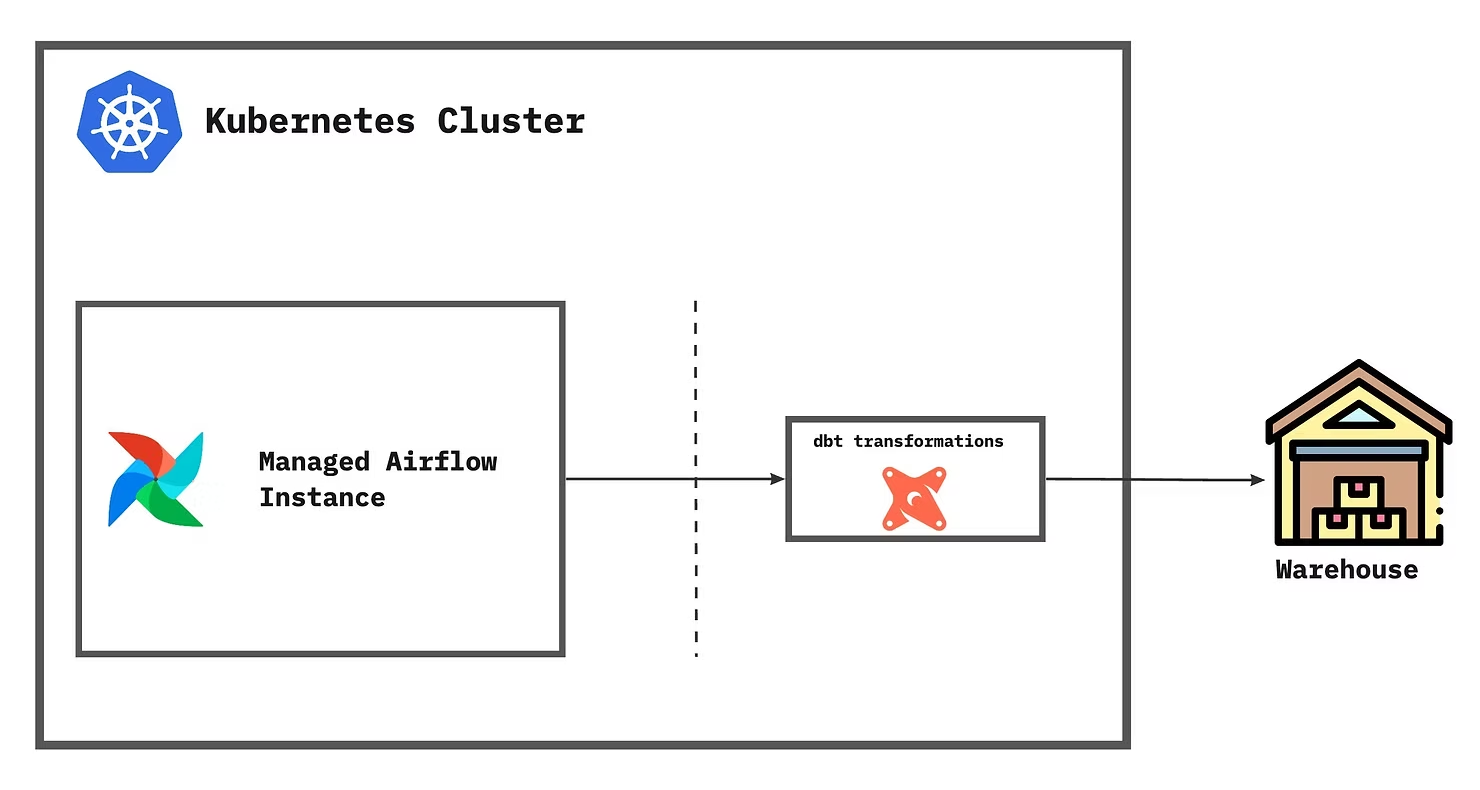
The idea is to run the dbt transformations in an isolated environment — a Kubernetes pod — and run them as independent workloads.
Major benefits of integrating dbt in the ELT pipeline
- Reusability — no different than calling a function with different parameters.
- History — source code version control keeps track of changes over time.
- Documentation — easily document sources, sinks, and data lineage.
- Testing — include testing and quality checks for the data.
- Volume tracking — keeps track of rows inserted, updated, or deleted.
Why containerize dbt
In order to run transformations in an isolated environment — a pod in a Kubernetes cluster — we need to containerize them. This way the transformations are modularised and independent from the other components in the system's architecture.
How to build and test transformations
Starting a dbt project is pretty easy:
dbt init <your_project_name>This command will create the directory <your_project_name> and also create ~/.dbt/profiles.yml somewhere in your local system. To keep profiles inside the project directory:
cd <your_project_name>
mkdir profiles
touch profiles/profiles.yml
dbt profiles define how dbt connects to the data warehouse — Postgres, BigQuery, Redshift, or Snowflake. After filling in the correct credentials, running a dbt project is straightforward:
dbt compile --profiles-dir ./profiles
dbt seed    --profiles-dir ./profiles
dbt run     --profiles-dir ./profiles
dbt test    --profiles-dir ./profiles
How to wrap it in a Docker container
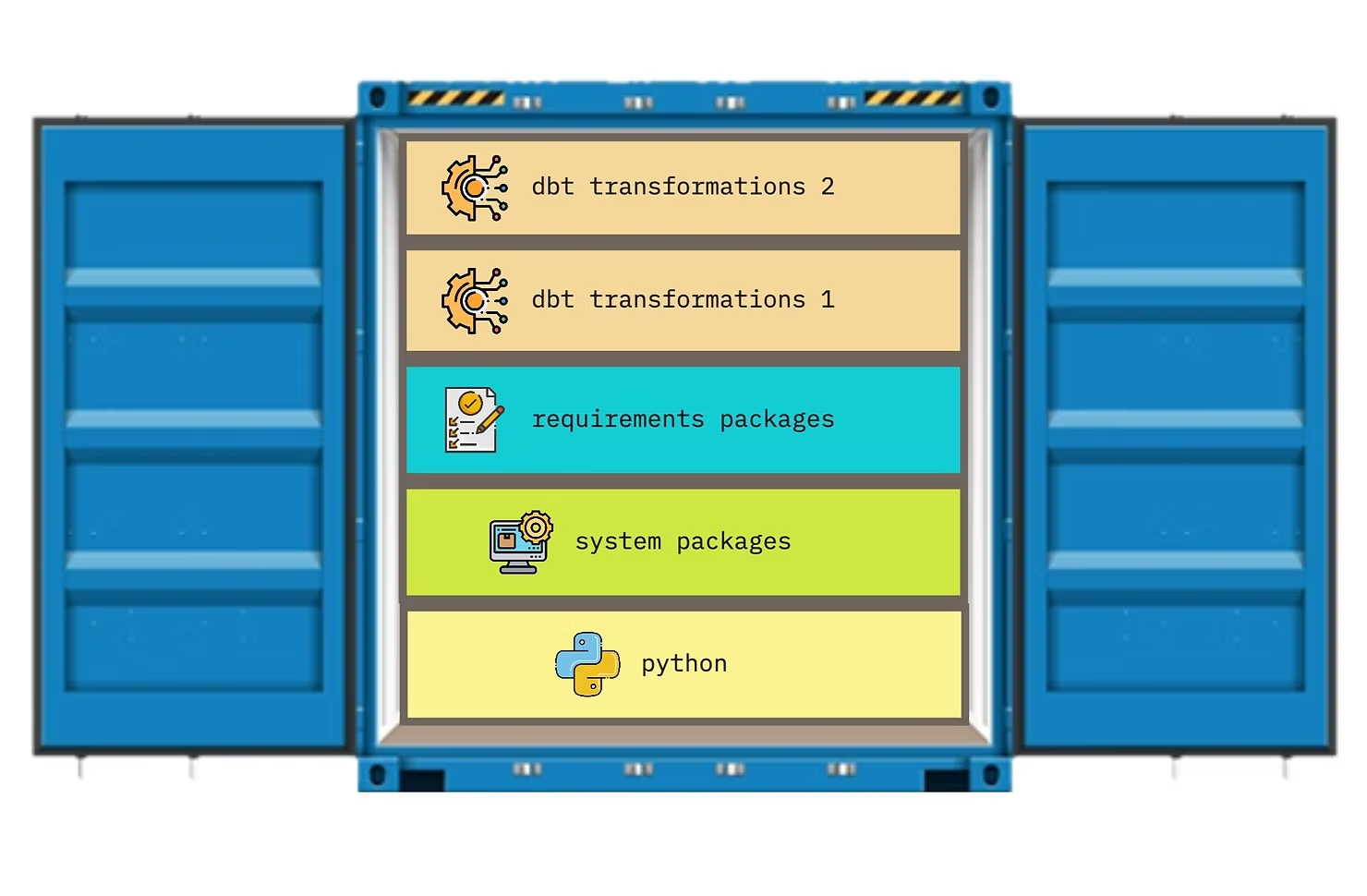
The Docker image layers a Python base, system dependencies, the required dbt Python packages, and finally the dbt transformations grouped by project. Make sure to add your project directory in the Dockerfile.
How to run dbt transformations from the Docker image
docker build -t dbt-transformations:latest .

docker run dbt-transformations:latest \
  dbt run \
  --project-dir ./<your_project_name> \
  --profiles-dir ./<your_project_name>/profiles
First, the Docker image is built from the Dockerfile. Afterward, run the image followed by the dbt command. In the example above it will run the dbt transformations for <your_project_name>.
How to push dbt transformations to the cloud
Push the image to a container registry — Docker Hub, AWS ECR, GCP Artifact Registry, Azure Container Registry, or a self-hosted option. GitHub Actions templates make this straightforward for both AWS ECR and GCP Artifact Registry.
How to use the transformations in Airflow
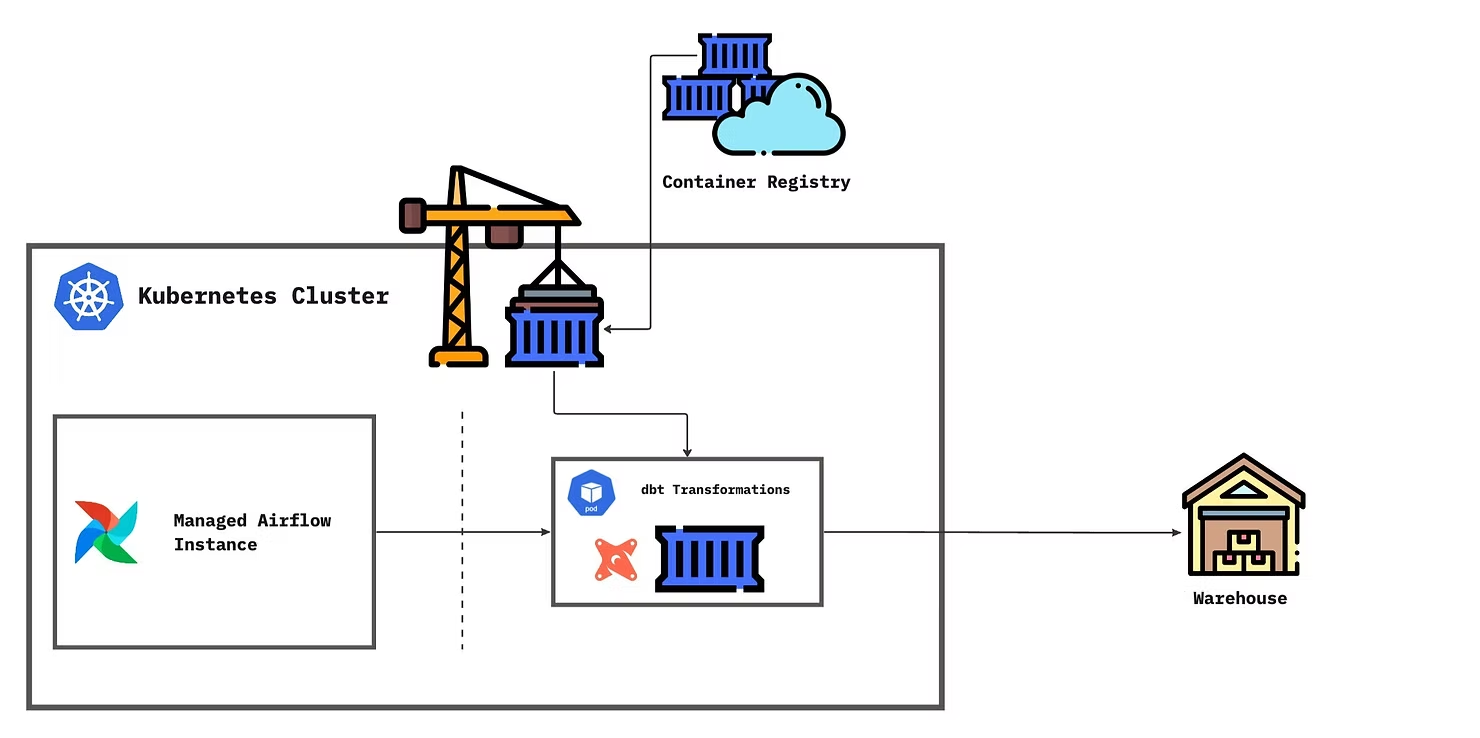
KubernetesPodOperator will pull the image from the container registry and run it in a Kubernetes Pod. Transformations run in the Pod using the Docker image in the desired environment, connected to the data warehouse.
Summary
This post gave a solution to running dbt transformations in a managed Airflow service from popular cloud providers. Using KubernetesPodOperator to run dockerized transformations helps in resolving dependency conflicts, isolating the code, and modularizing the components of the infrastructure.
For any questions, feel free to reach out to us at hello@datamax.ai.

Bujar Bakiu
CTO at DataMax