A practical guide to A/B Testing in MLOps with Kubernetes and seldon-core

Many companies are using data to drive their decisions. The aim is to remove uncertainties, guesswork, and gut feeling. A/B testing is a methodology that can be applied to validate a hypothesis and steer the decisions in the right direction.
In this blog post, I want to show how to create a containerized microservice architecture that is easy to deploy, monitor and scale every time we run A/B tests. The focus will be on the infrastructure and automation of the deployment of the models rather than the models themselves. Hence, I will avoid explaining the details of the model design. For illustration purposes, the model used is one created in a post by Alejandro Saucedo — text classification based on the Reddit moderation dataset. Resources used in this post are in the GitHub repository.
What is A/B testing?
A/B testing, at its core, compares two variants of one variable and determines which variant performs better. The variable can be anything — for a website, it can be the background color; for recommendation engines, it can be whether changing the model parameters generates more revenue. A/B testing has been used since the early twentieth century and is now common in medicine, marketing, SaaS, and many other domains.
How Does A/B Testing Work?
To run A/B testing, you need to create two different versions of the same component that differ on only one variable. Version A is the Control, version B is the Variation. Users are randomly shown either version. Before we can pick the better performing version, we need a way to objectively measure the results by choosing at least one metric to analyze.

How does A/B testing apply in Machine Learning
In Machine Learning, as in almost every engineering field, there are no silver bullets. We need to test to find a better solution. A/B testing is an excellent strategy to validate whether a new model or a new version outperforms the current one — all while testing with actual users. The improvements can be in terms of F1 score, user engagement, or better response time.
A/B Testing in Kubernetes with seldon-core
Kubernetes is the default choice for the infrastructure layer because of its flexibility and industry-wide adoption. In the MLOps space, there are not many open-source tools that support A/B testing out-of-the-box. Seldon-core is the exception: it supports Canary Deployments (configurable A/B deployments), provides customizable metrics endpoints, supports REST and gRPC, has very good integration with Kubernetes, and provides out-of-the-box tooling for metric collection and visualization (Prometheus and Grafana).
What tooling is needed
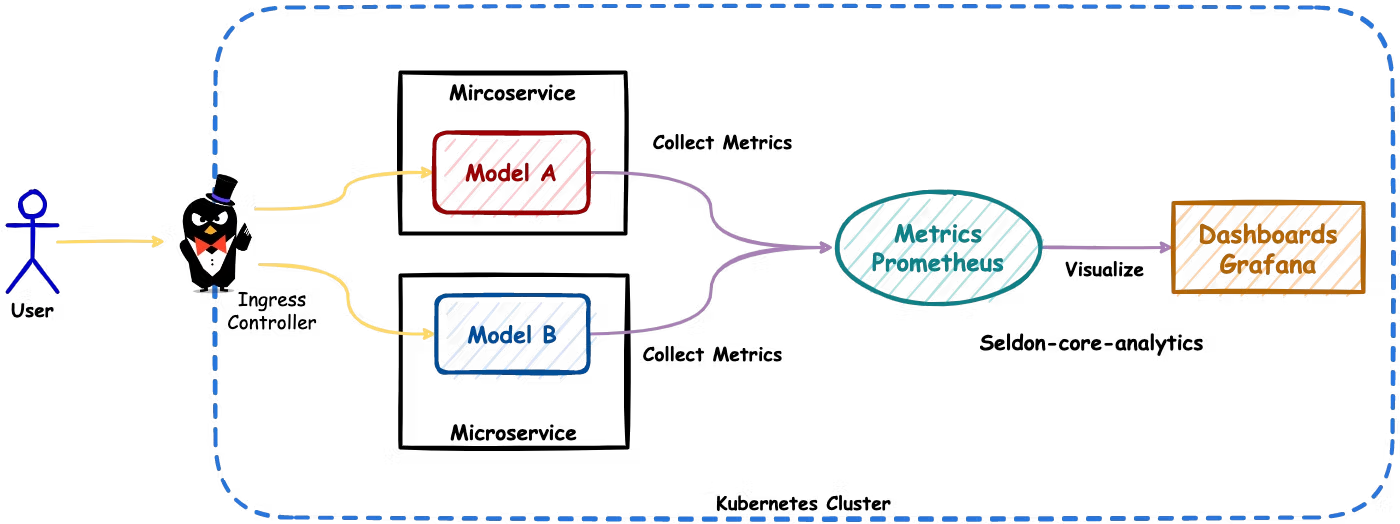
The architecture we are aiming for looks as follows:
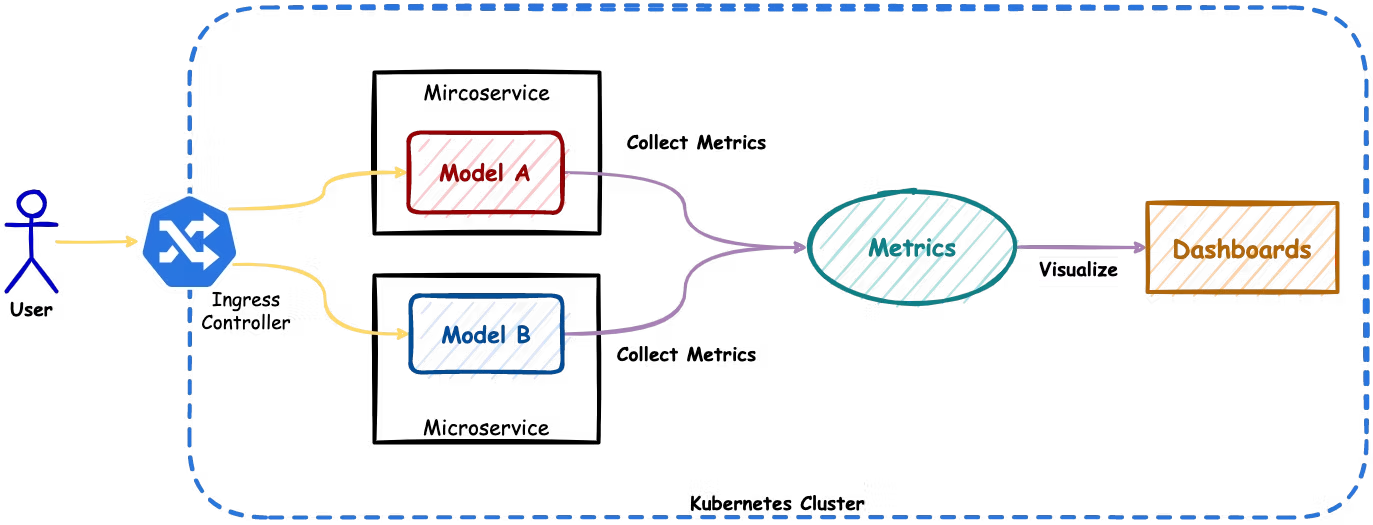
- Ingress Controller — makes sure requests coming from the users reach the correct endpoints. The ingress controller concept is described in great detail in the Kubernetes documentation. We will be using ambassador as an ingress controller since it is supported by seldon-core. Other alternatives are Istio, Linkerd, or NGINX.
- Seldon-core — as mentioned above, will be used for serving ML models as containerized microservices and for exposing metrics.
- Seldon-core-analytics — is a seldon-core component that bundles together tools to collect metrics (Prometheus) and visualize them (Grafana).
- Helm — is a package manager for Kubernetes. It will help us install all these components.
Building the models
Clone the repository and build both versions:
git clone git@github.com:data-max-hq/ab-testing-in-ml.git
cd ab-testing-in-ml

# Build version A
docker build -t ab-test:a -f Dockerfile.a .

# Build version B
docker build -t ab-test:b -f Dockerfile.b .
Setting up
Install the ingress controller (Ambassador):
helm repo add datawire https://www.getambassador.io
helm upgrade --install ambassador datawire/ambassador \
    --set image.repository=docker.io/datawire/ambassador \
    --set service.type=ClusterIP \
    --set replicaCount=1 \
    --set crds.keep=false \
    --set enableAES=false \
    --create-namespace \
    --namespace ambassador
Install seldon-core-analytics:
helm upgrade --install seldon-core-analytics seldon-core-analytics \
    --repo https://storage.googleapis.com/seldon-charts \
    --set grafana.adminPassword="admin" \
    --create-namespace \
    --namespace seldon-system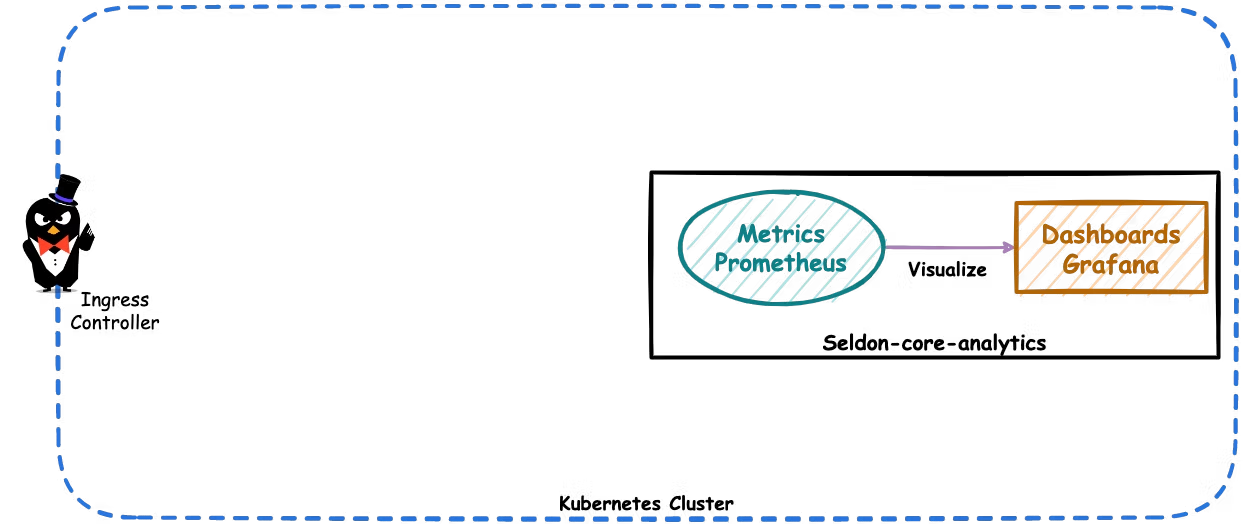
Install seldon-core:
helm upgrade --install seldon-core seldon-core-operator \
    --repo https://storage.googleapis.com/seldon-charts \
    --set ambassador.enabled=true \
    --create-namespace \
    --namespace seldon-system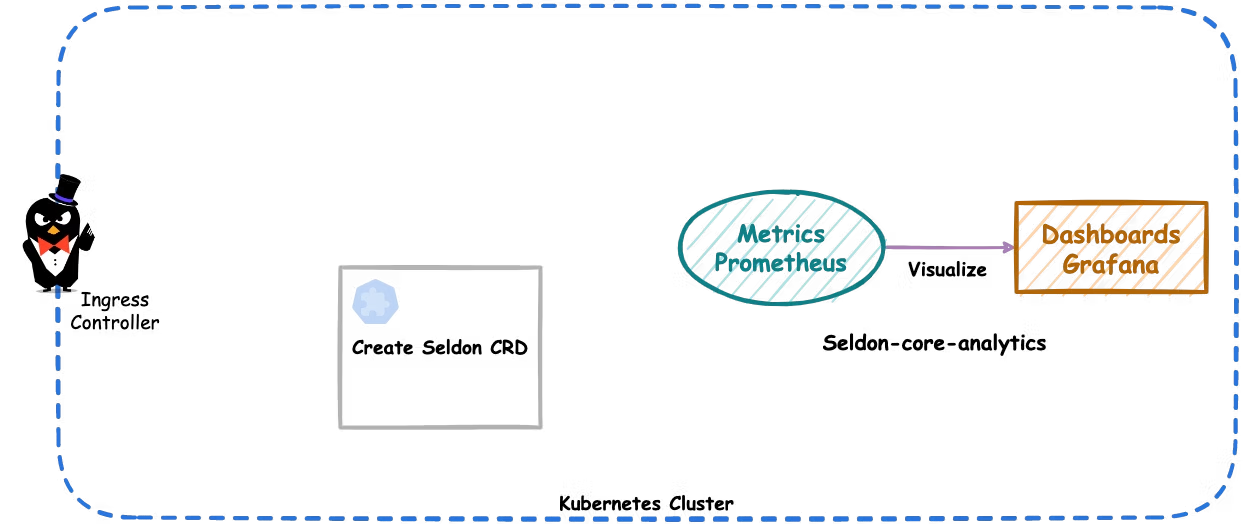
Deploy ML models as microservices
Deploy both versions using a canary configuration of a SeldonDeployment resource. The manifest defines two predictors (classifier-a and classifier-b) each with 50% traffic, using the container images ab-test:a and ab-test:b.
After deployment, port-forward Ambassador and send a test request:
kubectl port-forward svc/ambassador -n ambassador 8080:80curl -X POST -H 'Content-Type: application/json' \
-d '{"data": { "ndarray": ["This is a nice comment."]}}' \
http://localhost:8080/seldon/seldon/abtest/api/v1.0/predictionsPort-forward Grafana to visualize metrics:
kubectl port-forward svc/seldon-core-analytics-grafana -n seldon-system 3000:80Generate load with the Python client:
python seldon_client/client.py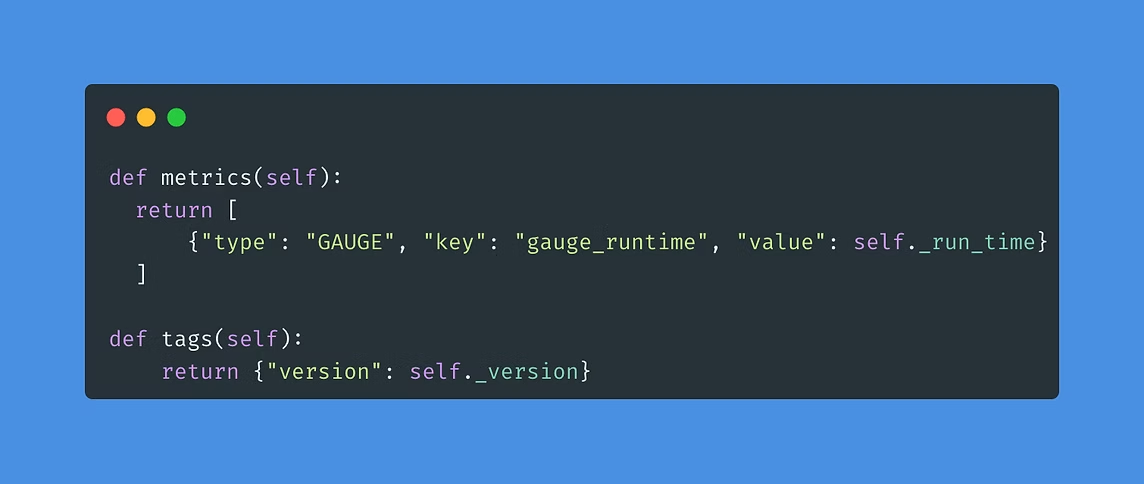
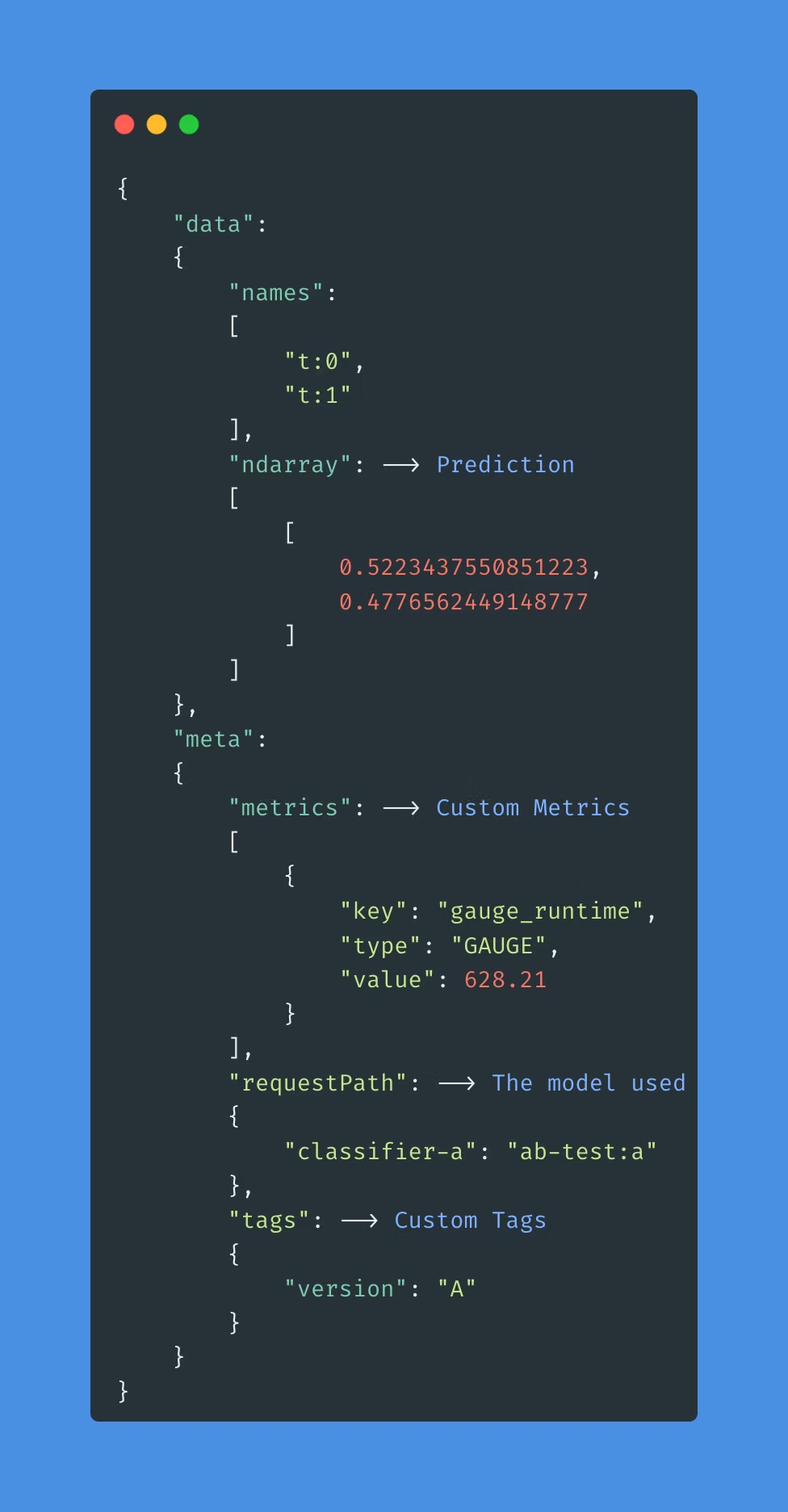
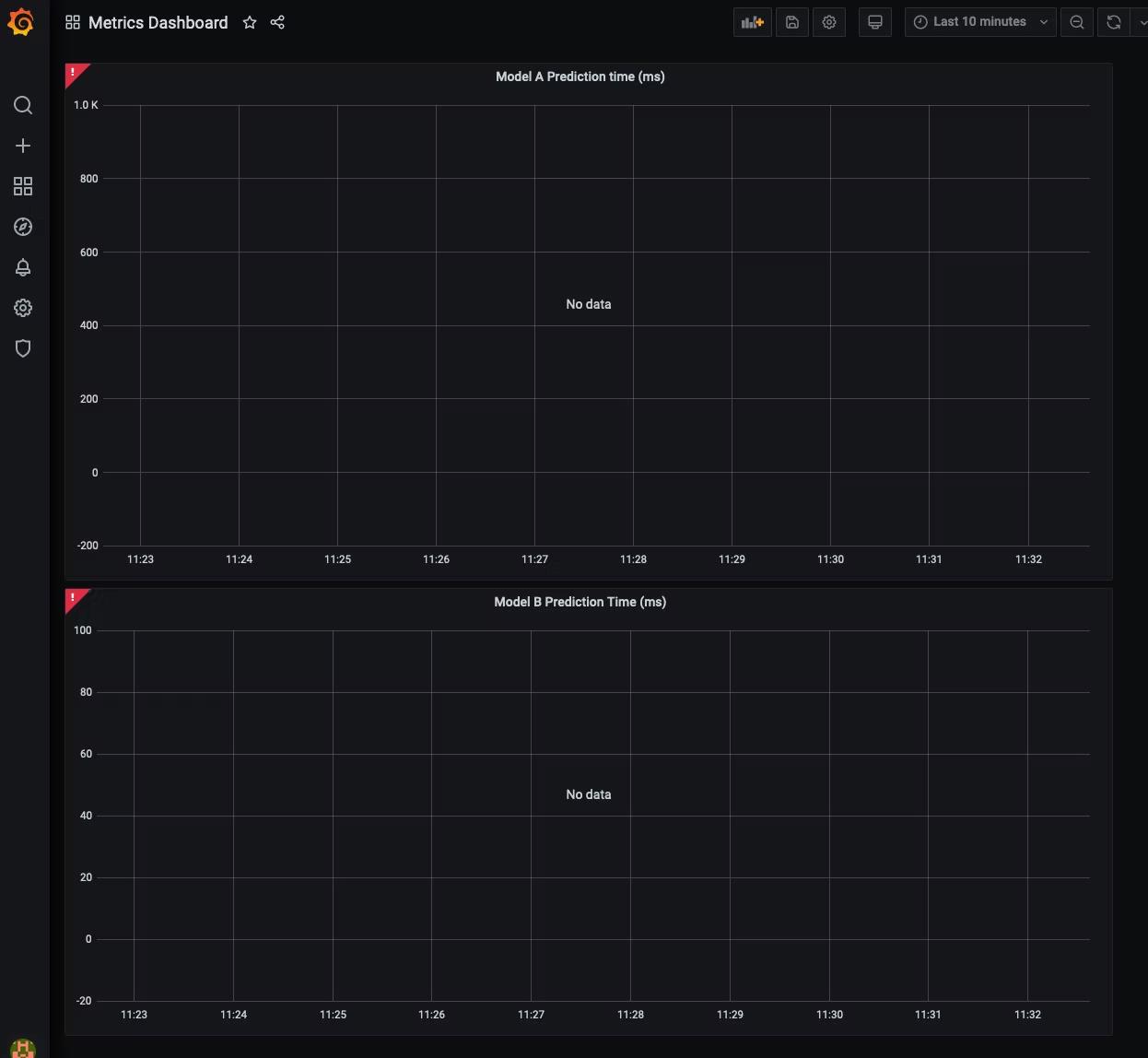
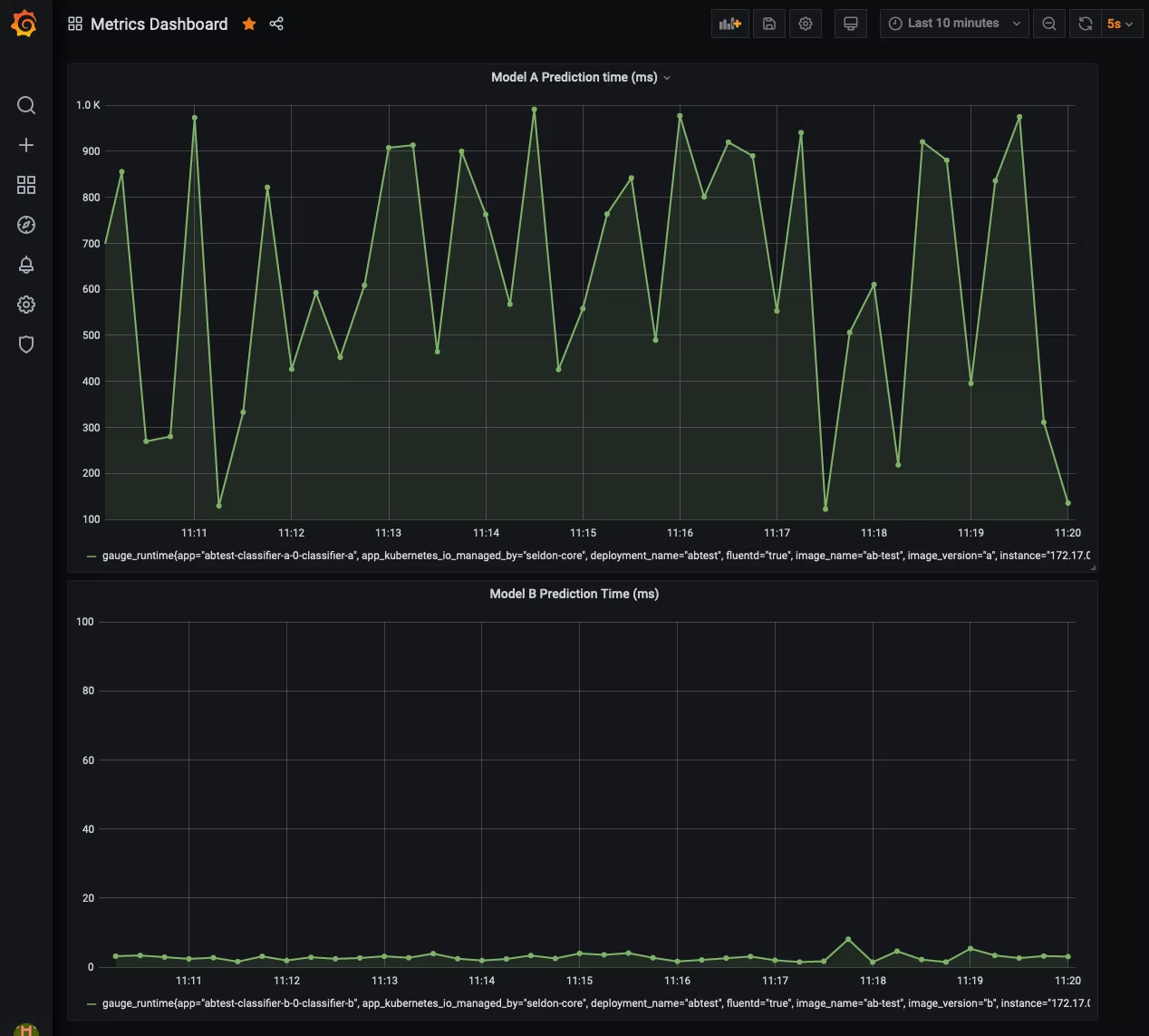
You can then compare model versions on prediction response time in the dashboard. For more than two options, seldon-core also supports Multi-armed Bandits (A/B/n tests that update in real-time).
Summary
With this demo, we set up the necessary infrastructure for A/B testing, collected and visualized metrics, and made an informed decision about the hypothesis. At DataMax, we work hard to bring state-of-the-art machine learning solutions to our customers so they can make informed decisions and become truly data-driven.
For any questions, feel free to reach out to us at hello@datamax.ai.

Bujar Bakiu
CTO at DataMax